Export permit-ready PDF exhibits.
The drawing you designed becomes the paperwork you submit. Export a scaled PDF set — plan and section views, a title block, and a take-off page — straight from the same model, with no redrawing in a separate CAD tool.
One model, real paperwork
Because the exhibits come from the same design that produced your take-off and quote, there’s no double work and nothing to keep in sync. Change the dock, and the materials, the quote, and the exhibits all follow.
Exporting a PDF exhibit set and filling in the title block.
What’s on an exhibit
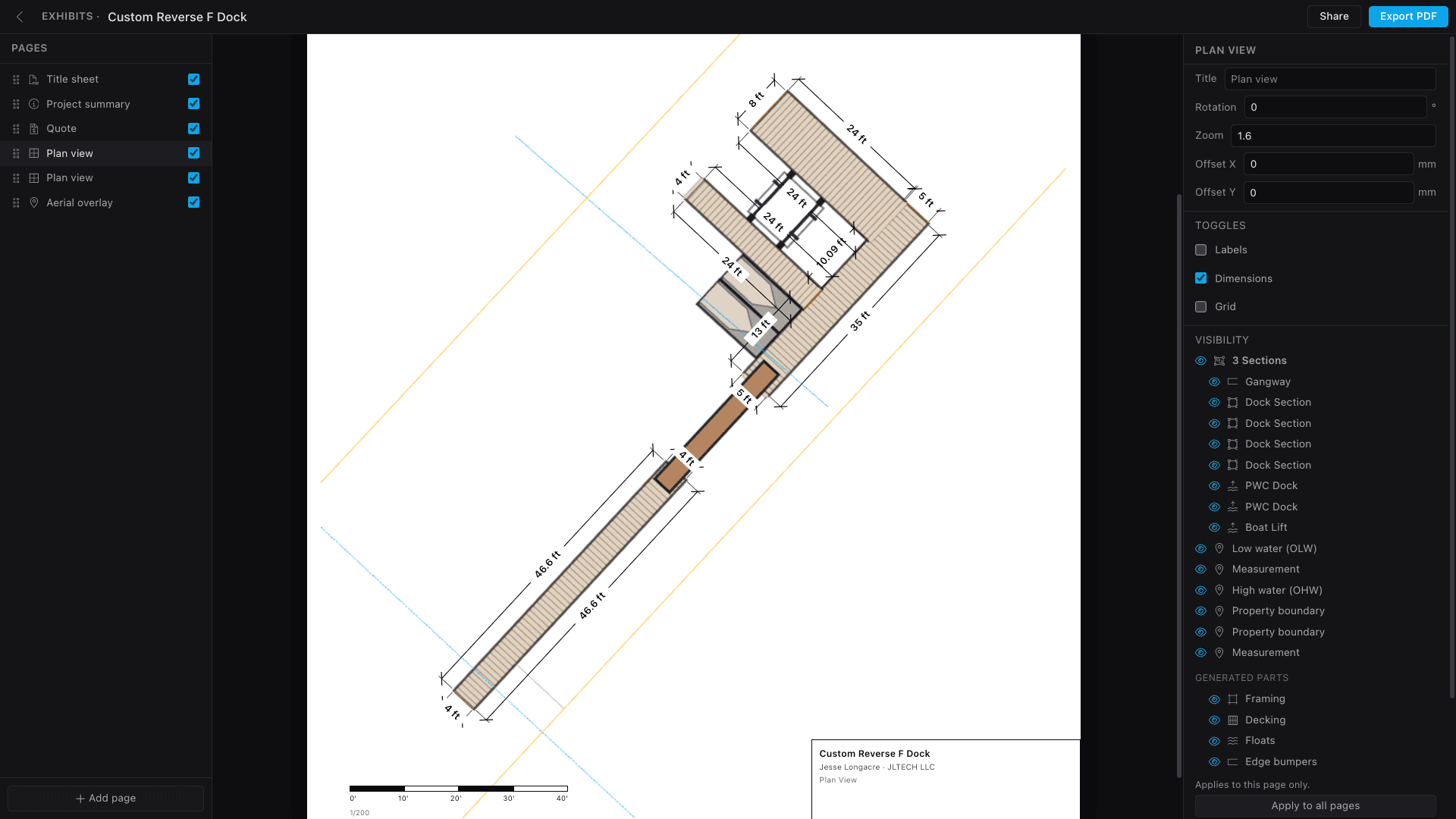
Export a clean, scaled PDF from Project menu → Export. Each exhibit carries:
- True-to-scale plan drawings of the dock and site
- Property lines, shoreline, setbacks, and high/low-water references
- Dimensions and labels carried straight over from your plan
Title & info blocks
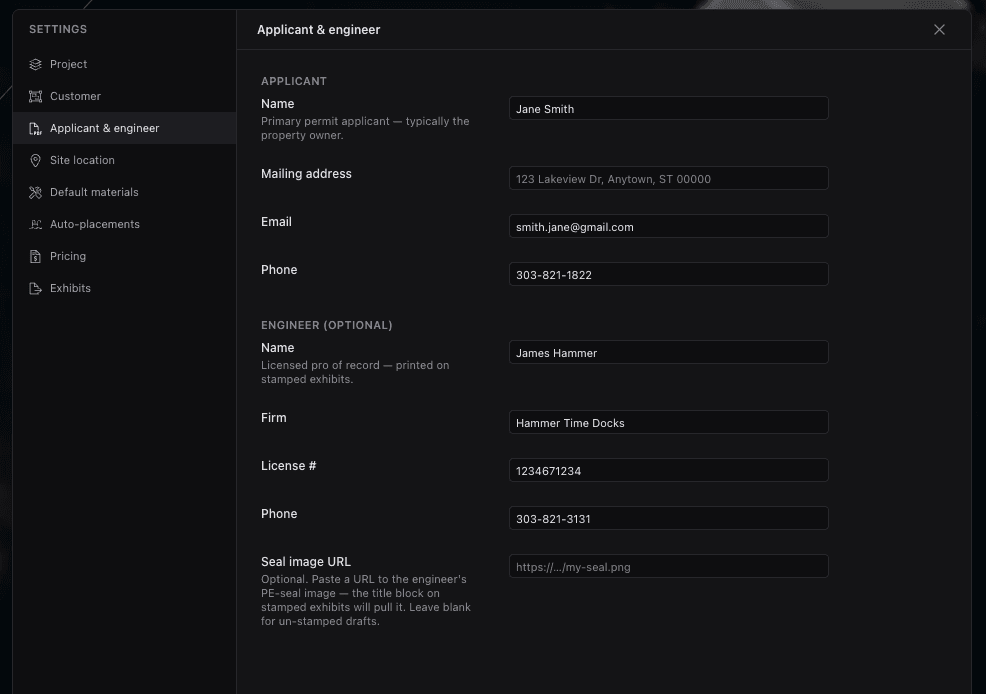
A reviewer expects more than a drawing. Each sheet carries a title block with the project, the applicant, and the engineer information, plus the views and scales a jurisdiction asks for — so the set reads like the submission it is, not a sketch.
The full set
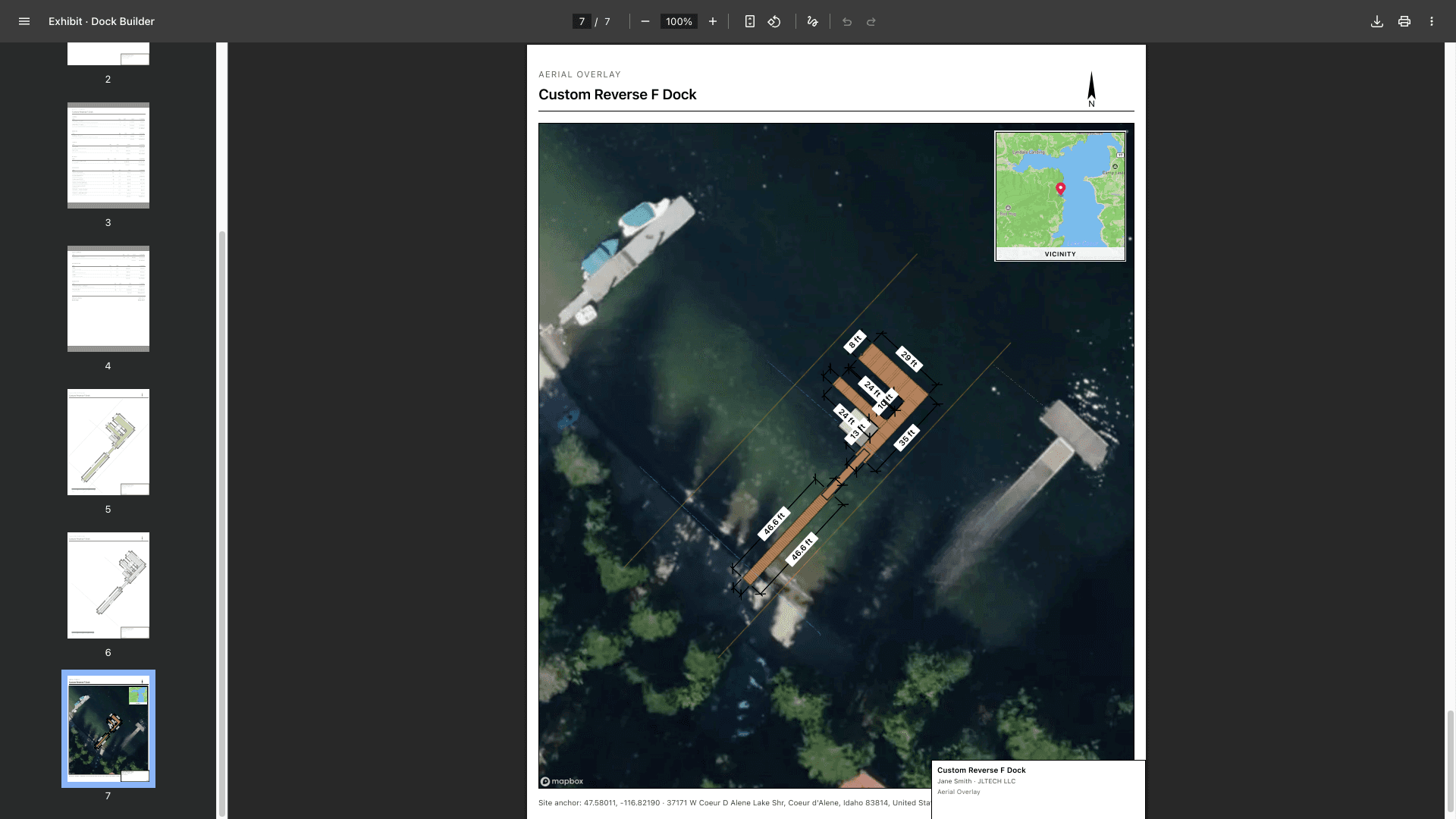
An export isn’t one page — it’s the set a packet needs: a scaled plan, section views, and a take-off page so the materials travel with the drawings. Anchored to an aerial basemap, the dock shows in real context instead of floating on a blank sheet.
For the bigger picture on permitting, see permit-ready dock plans.
- Exhibits export from the same model as the take-off and quote — nothing to keep in sync.
- Sheets are true-to-scale with dimensions, property lines, and water references.
- Title blocks carry project, applicant, and engineer info; org branding rides along.
- The set includes plan and section views plus a take-off page.
Keep going
Sharing & collaboration
Invite teammates by role, send a no-account share link, and collect comments right on the plan.
Site & aerial map
Anchor a project to its real location, drop it on a satellite basemap, and orient it to the shoreline.
Materials & products
Set default products once, override per element where it matters, and switch lumber for composite in a click.