Put the dock on the real site.
Anchor a project to its actual address and the dock sits on a satellite basemap at true scale. Get the shoreline, the bearing, and the setbacks right from the start — and every measurement and exhibit lands right the first time.
Why anchor to the site
Setting a real location unlocks the satellite basemap, GIS overlays, and map-pan. The dock is drawn over the actual water at true scale, so the layout you’re reasoning about matches what’s really there — and the PDF exhibits show the dock in context, not floating on a blank page.
Setting a site address, choosing a basemap, and orienting to the shore.
Set the location
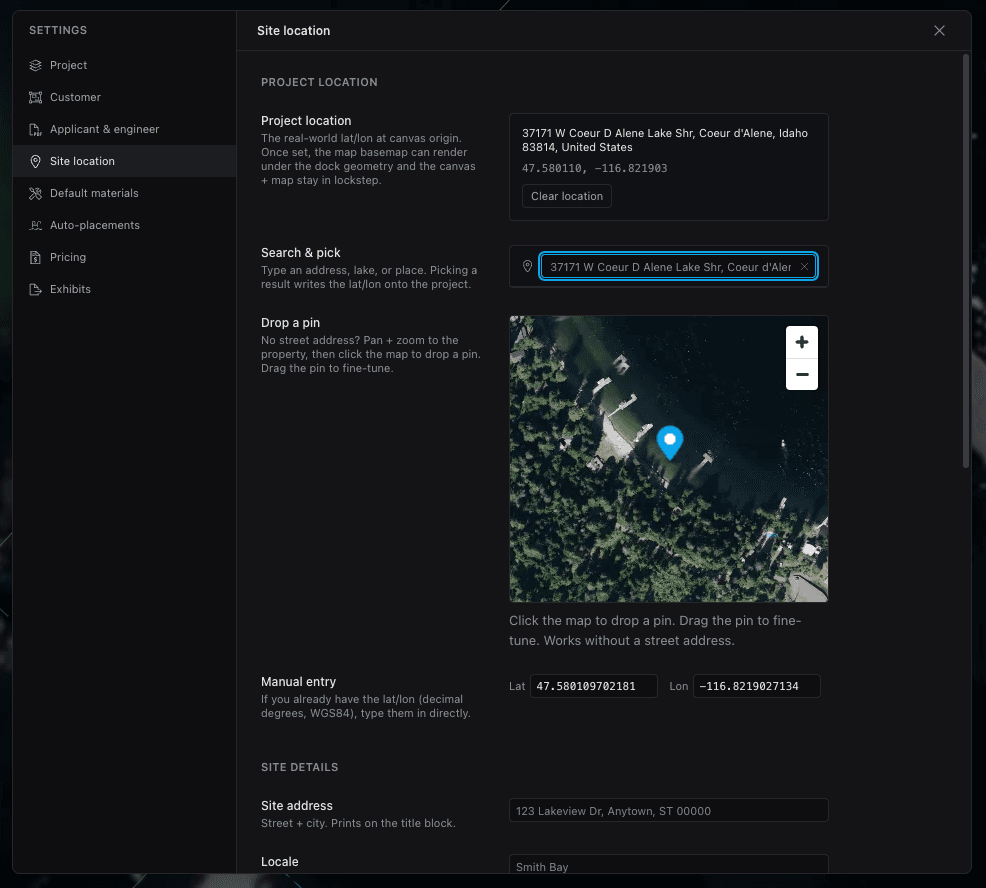
In Settings → Site Location, search an address or drop a pin to anchor the project to real-world coordinates. That single anchor is what places the dock on the map and keeps scale and bearing honest.
It’s the first thing to do on a real job — everything else builds on it.
Basemap & overlays
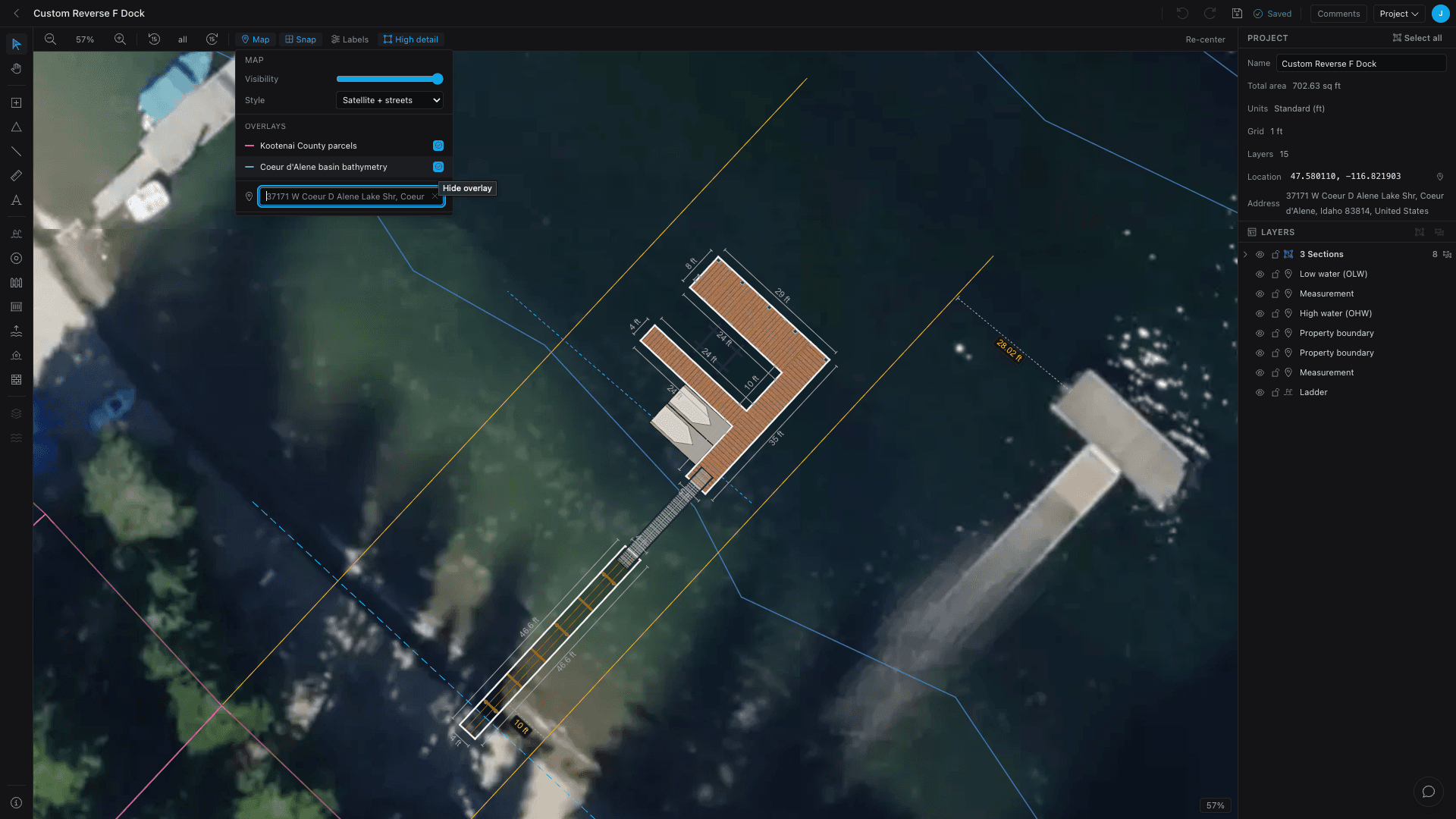
The Map toolbar popover controls the basemap: opacity (0–100%), style (Satellite + Streets, Satellite, Streets, Outdoors), and any external overlays — parcels, bathymetry — that cover your site. Dial the opacity down to trace, up to present.
Orient to the shore
Line the dock up with the water two ways: select all (⌘/Ctrl + A) and rotate to match the shoreline, or toggle Map pan (H) to drag the basemap under a fixed dock.
Either way the rotation is view-only — the stored geometry and every measurement stay exact, so orienting for looks never throws off the take-off.
A whole dock rotated to line up with an angled shoreline, with dimension labels still reading true.
- Setting a real address unlocks the satellite basemap, overlays, and map-pan.
- The dock is drawn to true scale over the actual water.
- Tune basemap opacity and style, and add parcel or bathymetry overlays.
- Rotating to the shoreline is view-only — measurements stay exact.
Keep going
Materials & products
Set default products once, override per element where it matters, and switch lumber for composite in a click.
Reusable templates
Save a dock layout once and drop it into any project — from the Add Dock wizard, a brand-new project, or a starter library shared across your whole shop.
White-label & branding
Run Dock Builder as your own — your logo and colors, branded quotes and PDFs, a web address that brings you quote leads, and a builder set up around how your shop works.