Material take-off, counted as you draw.
Every section figures its own decking boards, framing members, floats, pilings, and hardware the moment you draw it — a real cut-list with waste, not a square-foot guess. Here’s what the take-off includes and how to read it.
Why it’s automatic
Dock Builder ports the float-spacing, wood-frame, and decking cut-list logic builders actually use. Because the canvas understands a section as a real deck — a frame plus decking, not just a rectangle — it can derive the parts on the fly. Change a dimension or a product and the counts move with it.
A tour of the take-off panel and how each number is derived.
What it counts
Open Project menu → Take-off for the full itemized list. Every dock section contributes:
- Decking boards with a true cut-list, in dimensional lumber or composite (e.g. Weardeck)
- Framing: perimeter rim, joists on-center, and blocking — sized to the section
- Floats and their spacing for floating docks
- Pilings you placed, plus their diameter, length, and driven depth
- Cleats, lights, ladders, bumpers, and the hardware that goes with them
- Gangways and boat lifts as their own line items
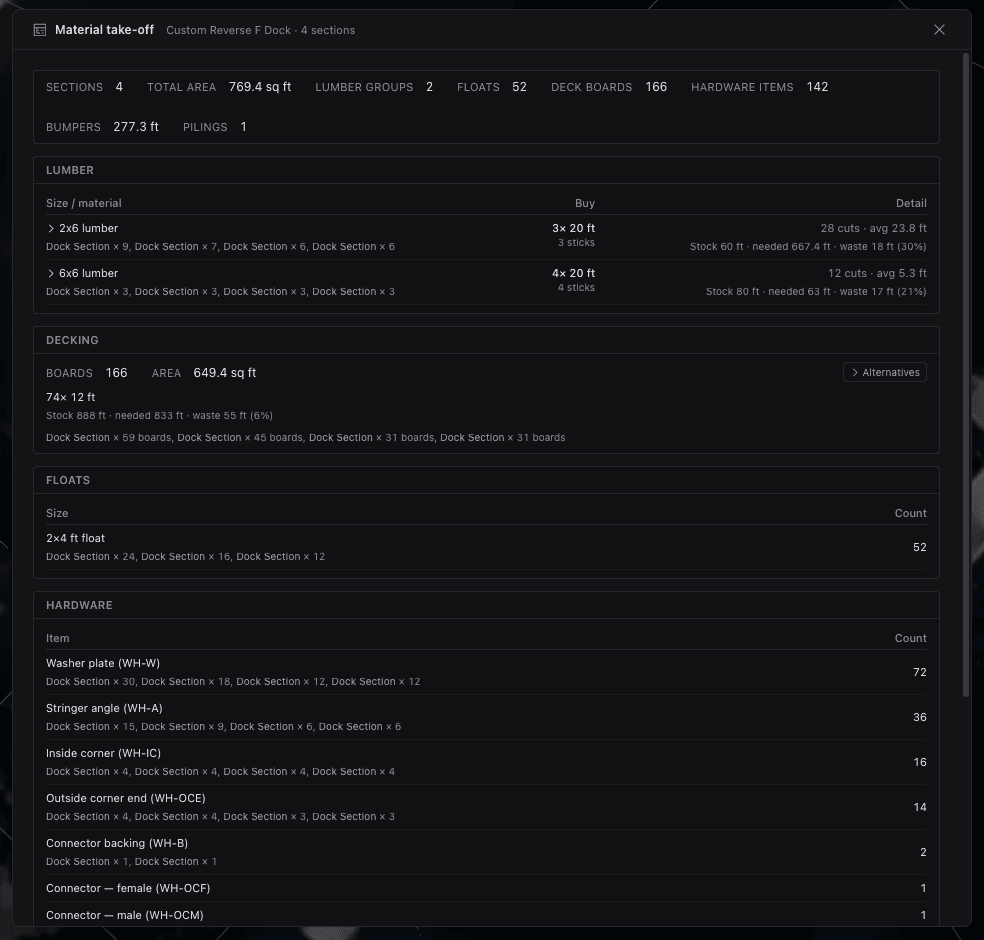
Cut-list & waste
The take-off isn’t a board-foot estimate — it’s a cut-list. Framing comes back as real members at real lengths, joists laid out on-center with blocking butted between them, and decking boards counted for the run and direction you chose.
Waste is built in, so the quantities reflect what you’ll actually buy rather than the theoretical minimum. Switch a section between lumber and composite and the cut-list re-derives for that material’s board sizes.
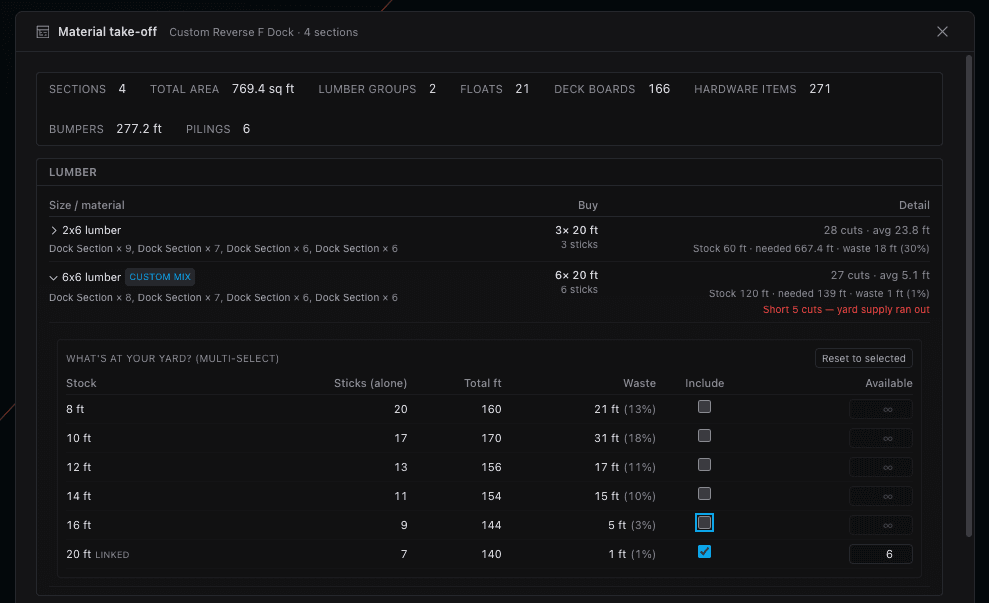
Per section & live
The list breaks down per section and totals across the dock, so you can see where the lumber and floats are going — useful for staging a build or sanity-checking a big marina layout. And it’s live: resize a section, change joist spacing, or flip decking direction and the numbers update before you’ve let go of the mouse.
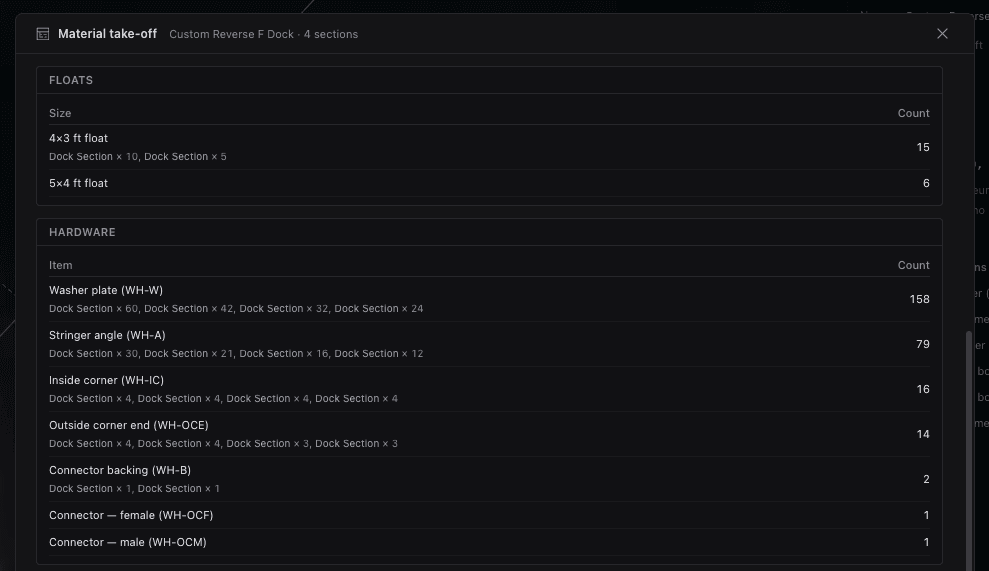
When the count looks right, roll it straight into a priced quote — the take-off is what the quote is built from.
- The take-off is a real cut-list with waste — not a square-foot estimate.
- Decking, framing, floats, pilings, hardware, gangways, and lifts are all counted.
- Everything breaks down per section and totals across the dock.
- Counts recalculate live as you change dimensions, materials, or spacing.
Keep going
Quoting
Roll the take-off into a quote: snapshot the design, group lines by material, add labor, margin, and tax.
PDF export & permit plans
Turn the same design into scaled, permit-ready PDF exhibits with title blocks and the views a reviewer expects.
Sharing & collaboration
Invite teammates by role, send a no-account share link, and collect comments right on the plan.