Free dock designer: draw your dock online
Draw your dock to scale on an aerial photo of your shoreline: straight, L, T or U, with gangways, lifts and pilings. No sign-up.
- No account or email
- Phone, tablet or computer
- Any dock brand or wood
Free designer · signed outA-1
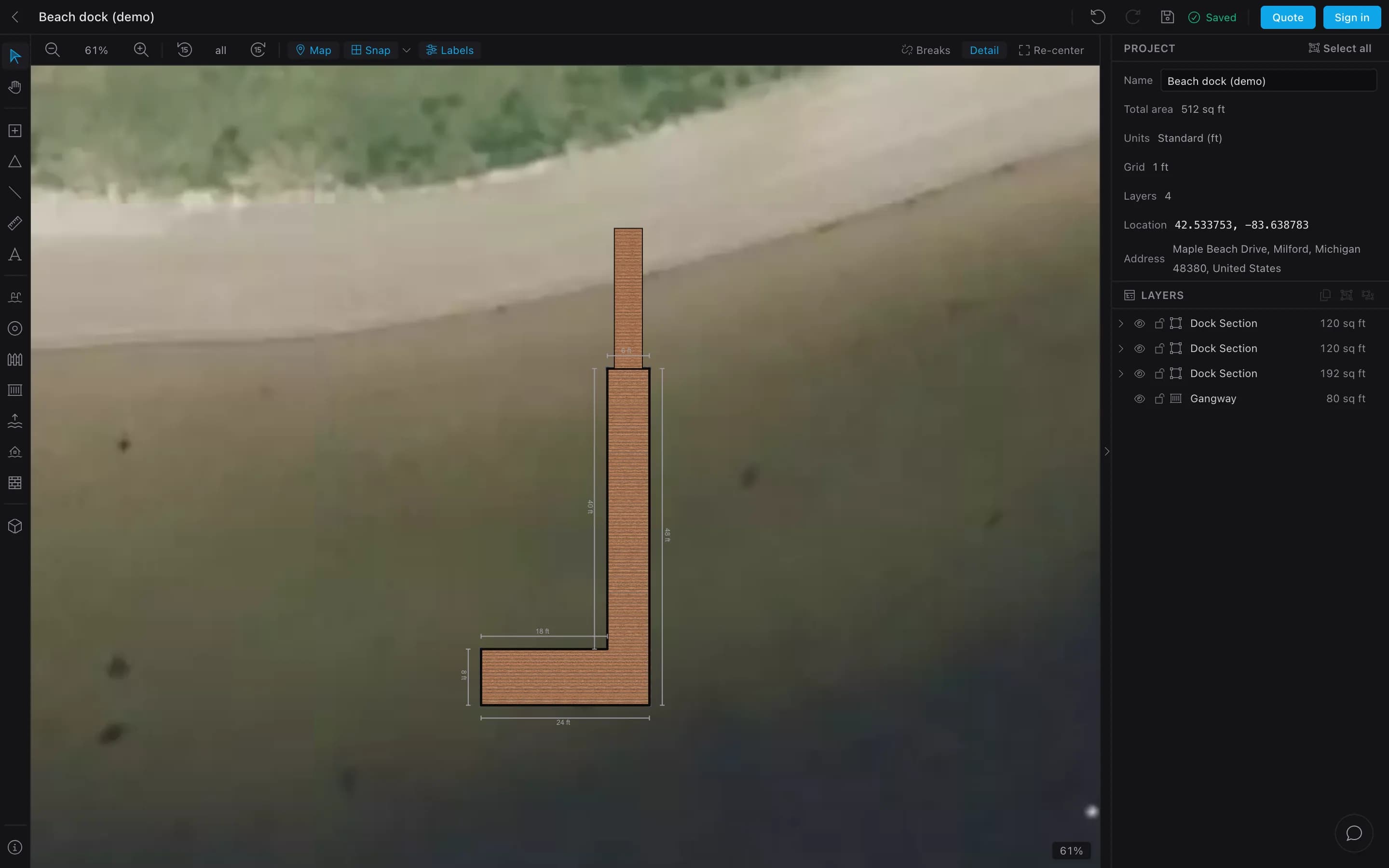
Plan your dock in four steps
- 01
Find your shore
Search your address. Draw on the aerial photo.
- 02
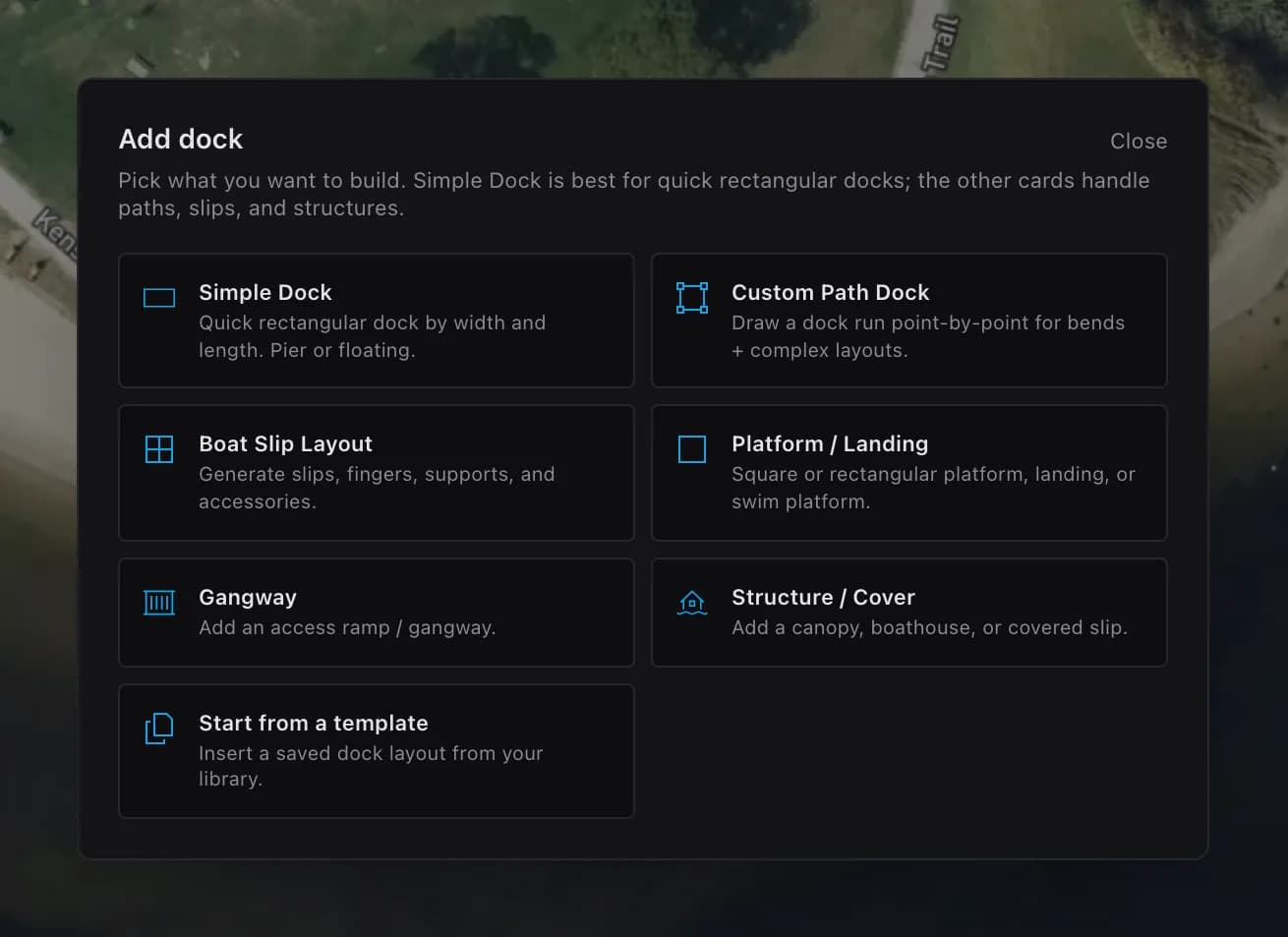
Add a dock
A simple dock, a path, boat slips or a gangway.
- 03
Snap pieces together
Sections snap edge to edge into an L, T or U.
- 04
Mark the site
Shoreline, water and property lines. Check it in 3D.
Add dock · signed outStep 02
Six layouts to start from
Each one is a free plan with a drawing and a material list. Or draw your own.
- 8 × 20 ft · 12 floats
Straight dock
Free plan - 6×20 walkway + 8×16 head · 18 floats
L-shaped dock
Free plan - 6×20 walkway + 8×20 head · 20 floats
T-shaped dock
Free plan - 6×20 main leg + two 4×20 fingers · 22 floats
U-shaped boat slip
Free plan - 10 × 16 ft · 12 floats
Wide platform
Free plan - 10 × 10 ft · 8 floats
Swim raft
Free plan
Something else? Doglegs, two slips, a pier with a floating end.
The dock, and the site around it.
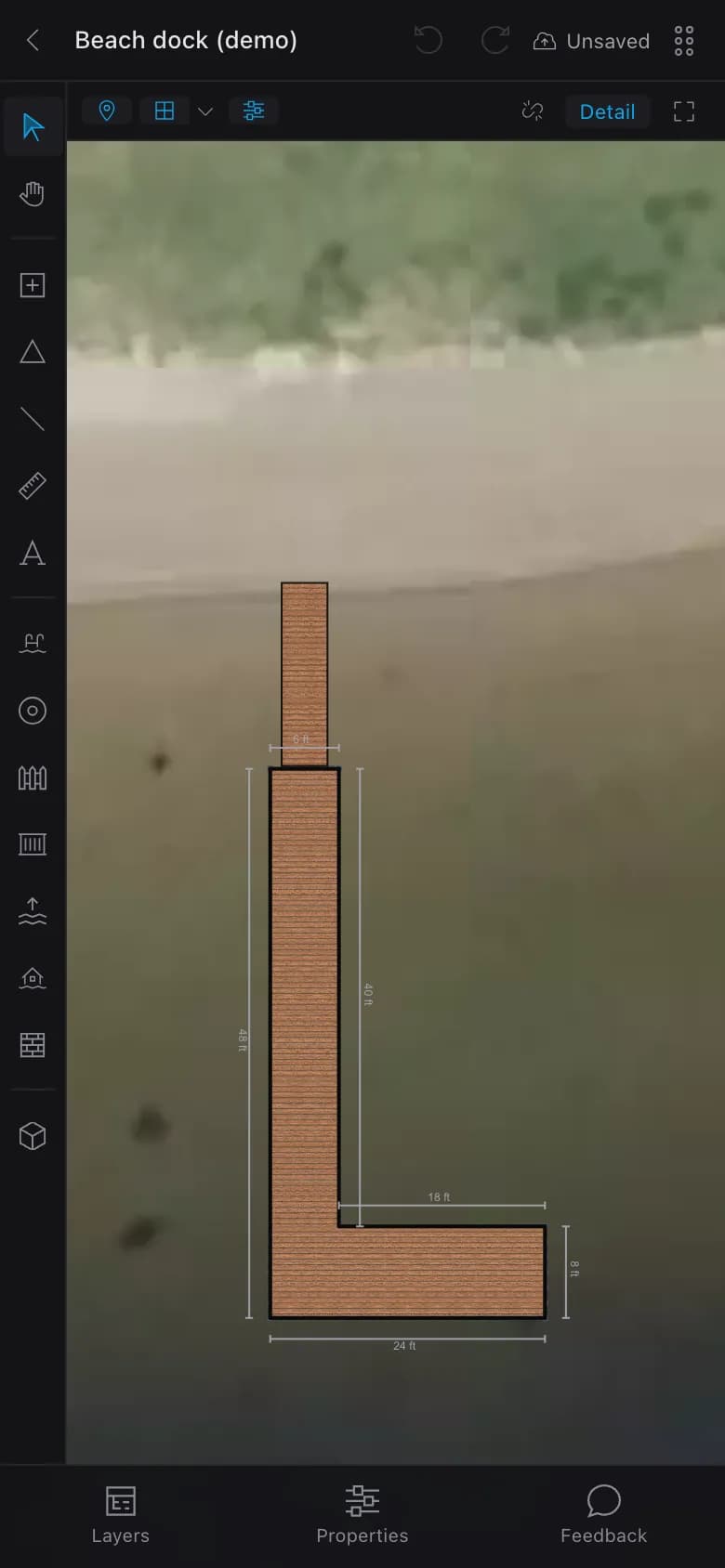
Every drawing tool is free, on a computer or a phone.
- Dock
- Sections, path docks, boat slips, platforms, gangways, lifts, pilings, cleats, ladders.
- Site
- Shoreline, high and low water, depth soundings, property lines, setbacks, measurements.
- Check
- A 3D view. Works offline.
Phone · signed outA-2
Free without an account. More with one.
A free account is an email and a password.
No account
- Unlimited dock sections, every drawing tool
- Your dock on an aerial photo of the site
- 3D view
- 1 project, saved in this browser
- Not included: Material list, quote or PDF
- Not included: Share links and sync
Free account
- Unlimited projects, synced
- Material take-off with a cut list
- Quotes and PDF drawings
- Share links builders open without an account
“Request a quote” sends your drawing to the Dock Builder team. If your builder has their own designer, draw on theirs.
Dock builders: give your customers this designer with your name on it
Dock designer questions
Is there free dock design software?
How do I draw a dock layout to scale?
Does it tell me how many floats I need?
Is my drawing good enough for a dock permit?
Free · no account
Draw your dock tonight.
Open it on your phone or computer. A free account adds the material list and a printable plan.