Turn a take-off into a quote.
The same model that drew the dock prices it. Snapshot the design, group the lines by material, layer on your labor, margin, and tax, and send a number that reflects the real job — one you can update fast when the scope changes.
From take-off to quote
A quote starts from the material take-off, so the quantities are already right. Your job is the business layer on top — pricing, labor, margin, and the line items unique to this customer. Here’s the flow.
Creating a quote, adjusting it, and moving it to Accepted.
Create a draft
- 01
Open the quote
From Project menu → Quote, create a new draft. Lines arrive grouped by material, straight from the take-off. - 02
Add what the drawing can’t know
Add custom lines for delivery, removal of an old dock, permits, or anything site-specific that isn’t part of the geometry. - 03
Review the grouping
Each material category rolls up so the quote reads cleanly — lumber, decking, floats, hardware, pilings, and your custom items.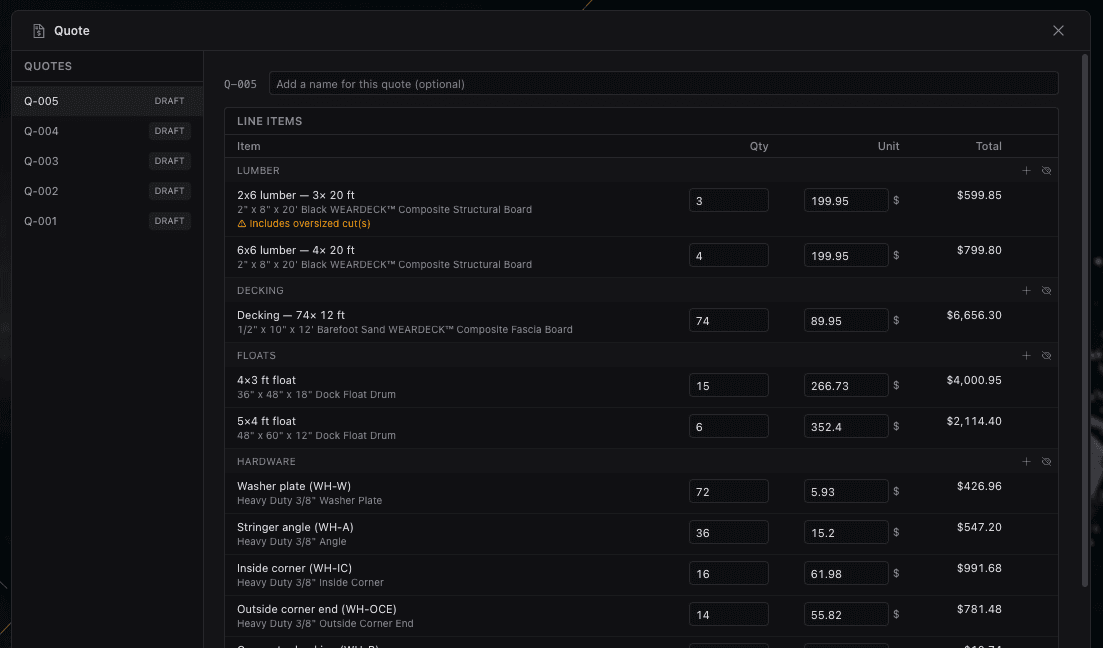
Lines grouped by materialSHOT QT-01
Adjust the numbers
In draft you’re in full control. Apply adjustments for labor, waste, margin, and tax across the quote, and override any individual quantity or unit price where your real cost differs from the catalog.
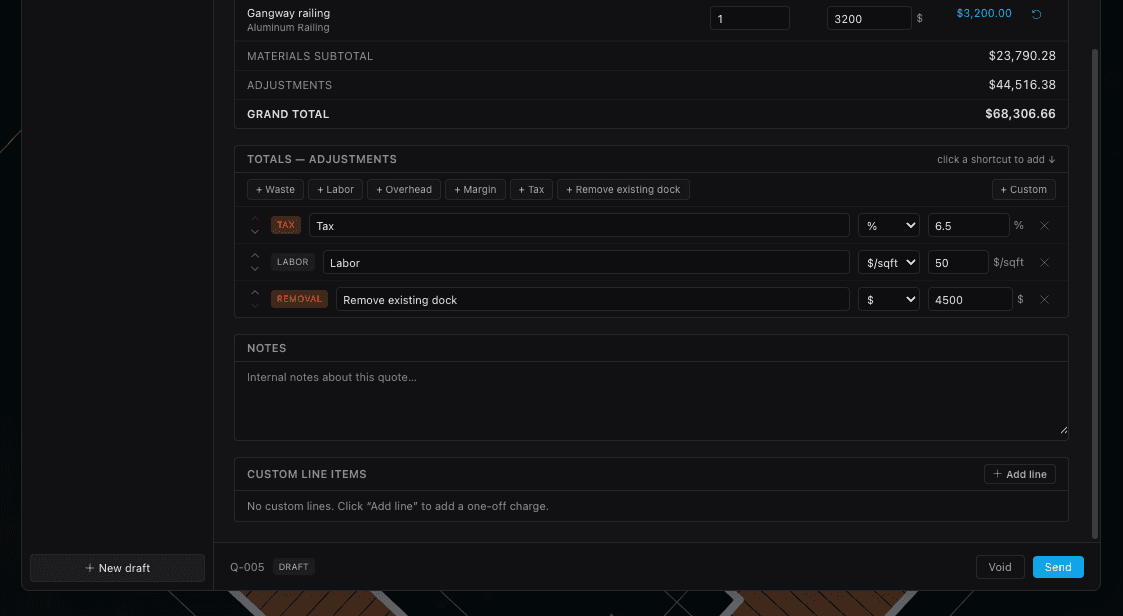
Because the line items came from the drawing, you’re tuning a number that’s already accounting for the whole dock — not rebuilding it by hand in a spreadsheet.
Why prices stay put
When you create a quote it snapshots the current design and the product prices at that moment. Keep editing the dock, or let catalog prices change next month — the quote you already sent doesn’t move. Old quotes never silently change out from under you.
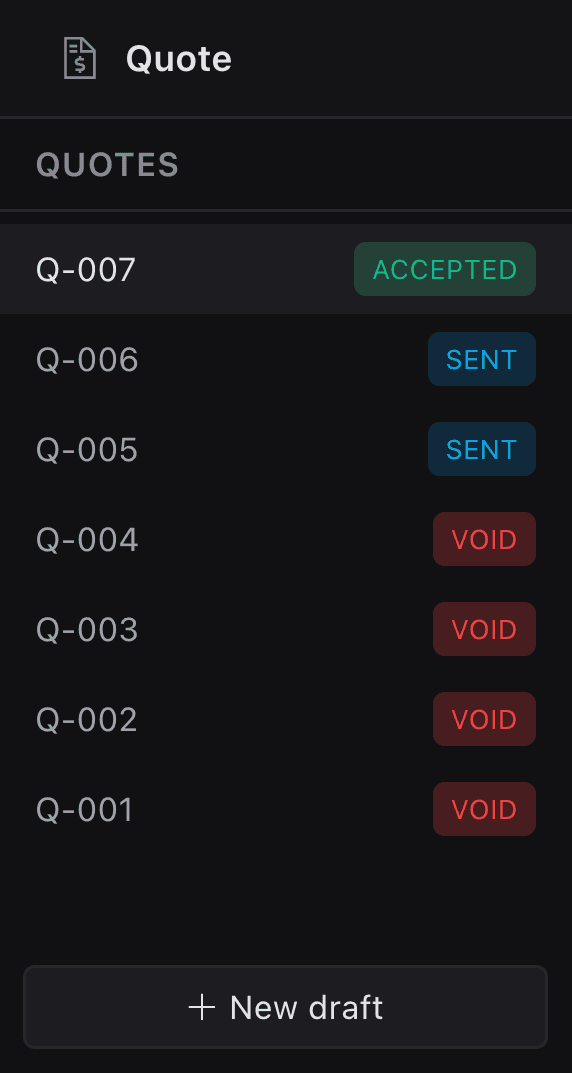
Draft → Sent → Accepted
Move the quote through Draft → Sent → Accepted as the deal progresses. Past quotes stay listed per project, so you always know what was quoted, when, and where it landed.
Ready to put it in front of a customer or a permit office? Export a PDF or share a link.
- Quotes start from the take-off, so the quantities are already correct.
- Add custom lines for delivery, removal, and permits the drawing can’t know.
- Apply labor, waste, margin, and tax; override any quantity or unit price.
- Creating a quote snapshots the design and prices — sent quotes never drift.
- Move quotes Draft → Sent → Accepted and keep every version per project.
Keep going
PDF export & permit plans
Turn the same design into scaled, permit-ready PDF exhibits with title blocks and the views a reviewer expects.
Sharing & collaboration
Invite teammates by role, send a no-account share link, and collect comments right on the plan.
Site & aerial map
Anchor a project to its real location, drop it on a satellite basemap, and orient it to the shoreline.