Draw the dock once. Reuse it forever.
Most of what you build shares a backbone — a standard pier, a four-slip layout, a swim platform. Save a finished dock as a template and drop it into the next project in one click, instead of redrawing it every time.
A template is just the layout
A template captures a finished dock — its sections, framing, pilings, and accessories — and nothing else. No site, no customer, no pricing rides along, so it drops cleanly into any project and adapts to wherever you place it. Save one from a dock you’ve already drawn, then reuse it three ways: inside the Add Dock wizard, as a brand-new project, or as a shared starter for your whole shop.
Saving a dock as a template, then dropping it into a fresh project.
Save a dock as a template
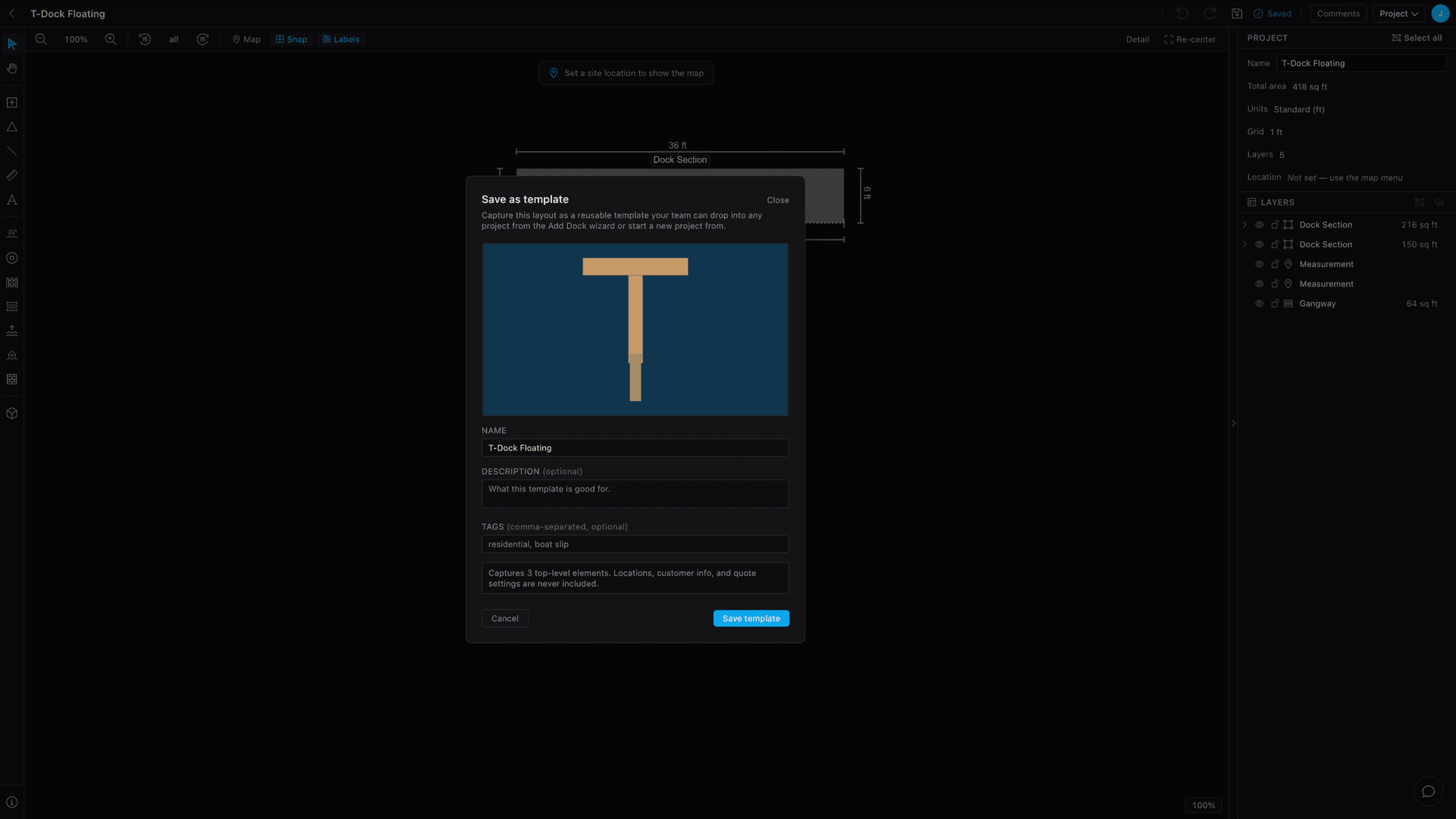
With a dock open, choose Project ▸ Save as template. Capture the whole dockor just the layers you’ve selected, give it a name, and Dock Builder generates a preview thumbnail from the layout automatically.
Add a short description and a tag or two so it’s easy to find later, then save. That’s it — the template lands in your library, ready to reuse.
Drop it into a project
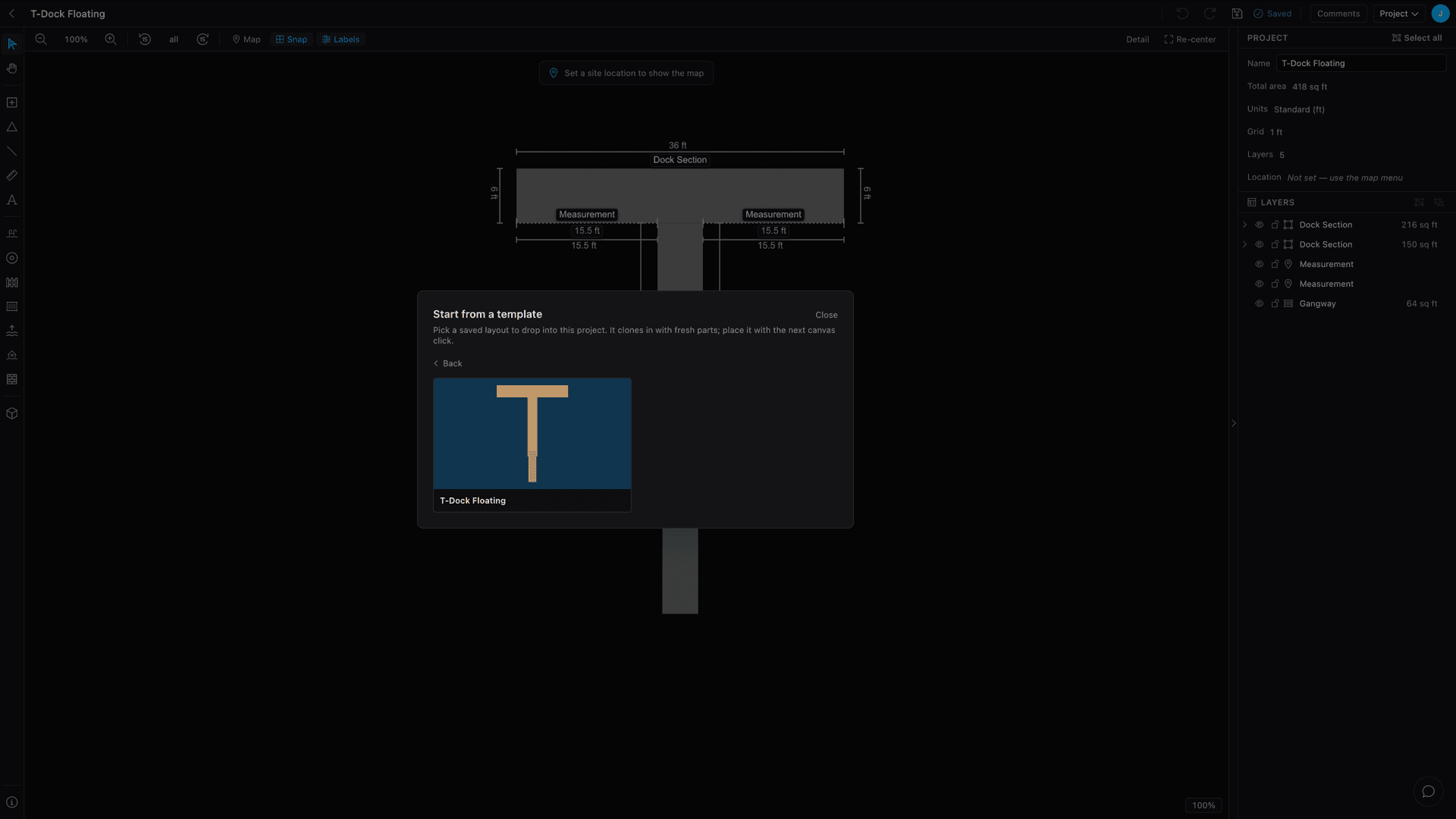
In the builder, open Add Dock and pick Start from a template (the last card). Choose one from the gallery and it clones into your project with fresh parts — then you click to place it, exactly like every other dock.
Start a new project from one
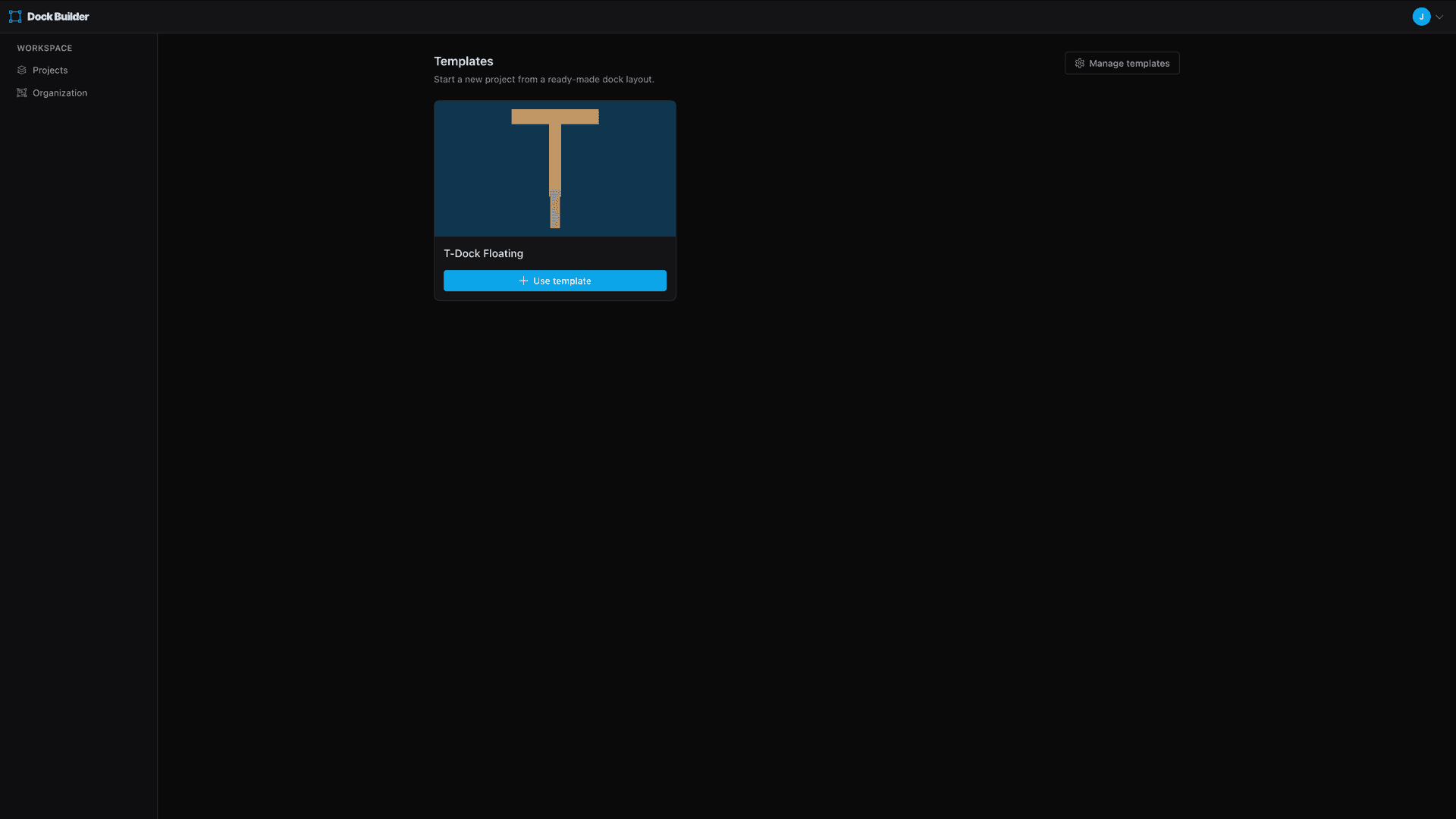
From your projects list, hit Start from a template to open the gallery, then Use template on any layout. A brand-new project opens already built from it — ready to anchor to a site and quote.
It’s the fastest way to begin a job you’ve done a hundred times: skip the blank canvas and start from your proven layout.
Manage your library
Org admins manage everything under Organization ▸ Templates. Toggle a template active or inactive to control whether it shows up in the wizard and gallery, edit its name, description, and tags, swap its preview image, or remove it.
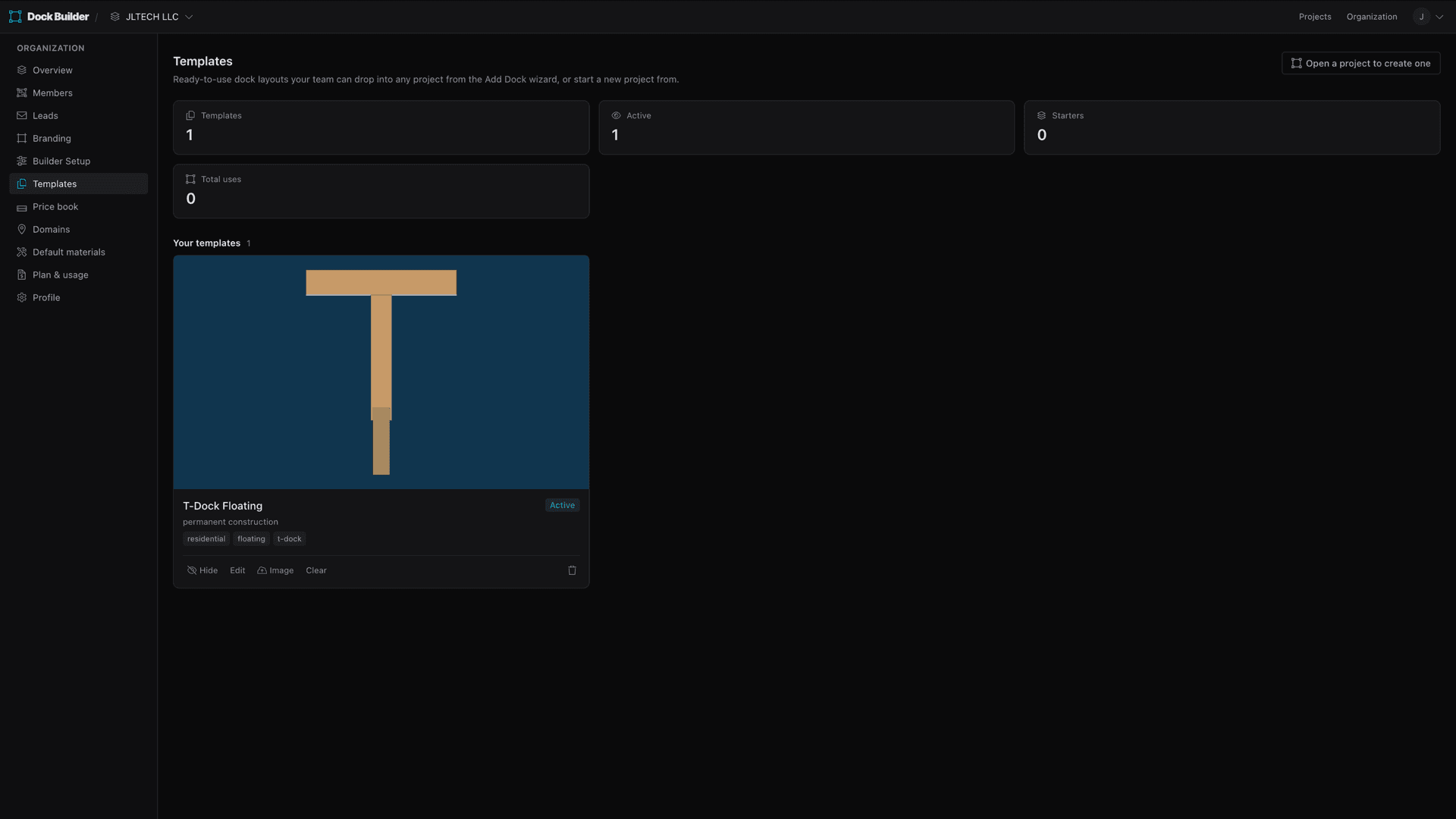
Above your own templates you’ll see starters— a shared library every workspace on your plan can build from. Promote a proven layout to a starter so the whole shop starts from the same playbook, and each workspace can hide the starters it doesn’t use.
- Save any finished dock as a template — the whole layout or just a selection — with an auto-generated thumbnail.
- Drop a template into any project from the Add Dock wizard, or start a brand-new project from one.
- Templates carry only the layout — never a site, customer, or pricing — so they reuse safely anywhere.
- Manage everything in Organization ▸ Templates: toggle visibility, edit, re-image, or promote a layout to a shared starter for the whole shop.
Keep going
White-label & branding
Run Dock Builder as your own — your logo and colors, branded quotes and PDFs, a web address that brings you quote leads, and a builder set up around how your shop works.
Dock permits & drawings
What a dock permit application actually asks for — a scaled site plan, a cross-section, setbacks, and water datums — and how to produce each one without a CAD seat.
What a dock costs to build
What a new dock actually costs — the type, materials, water, site, and region that move the number — with real per-square-foot and total ranges from the US to overseas.